
Call yourself a true blue Filipino traveller if you’ve completed this Philippine Bucket List.

Damaged Philippine Passport? What To Do
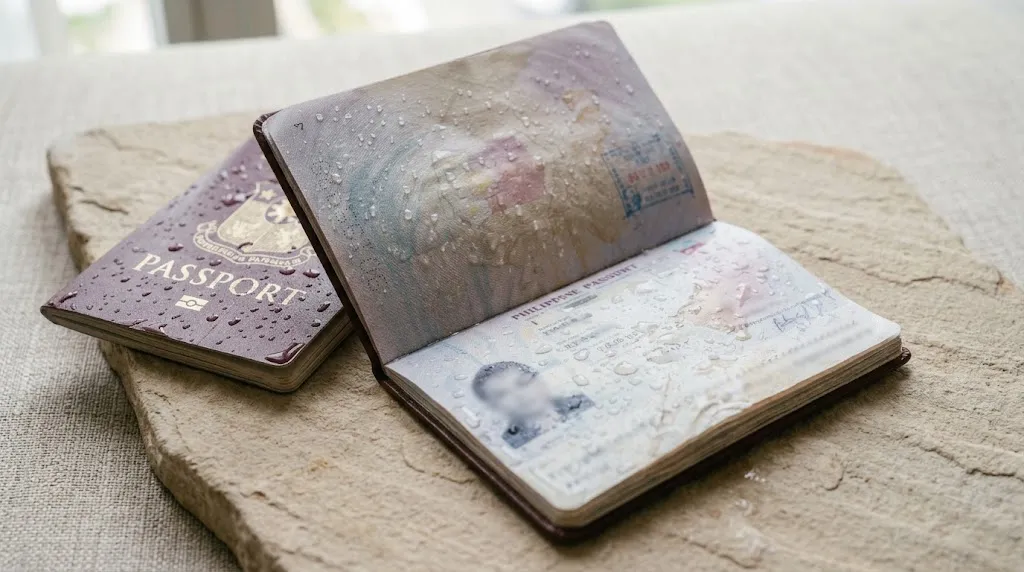
Your passport can survive years of travel, but accidents happen. It can get soaked in your beach bag, torn inside your luggage, badly crumpled, stained by coffee, or even develop mould after being stored somewhere damp.
But when does a passport become too damaged to use?
If your Philippine passport is considered damaged or mutilated, the Department of Foreign Affairs (DFA) has specific requirements for getting a replacement. You should not assume that a damaged passport can still be used for your next trip.
Here’s what to do depending on what happened to your passport.
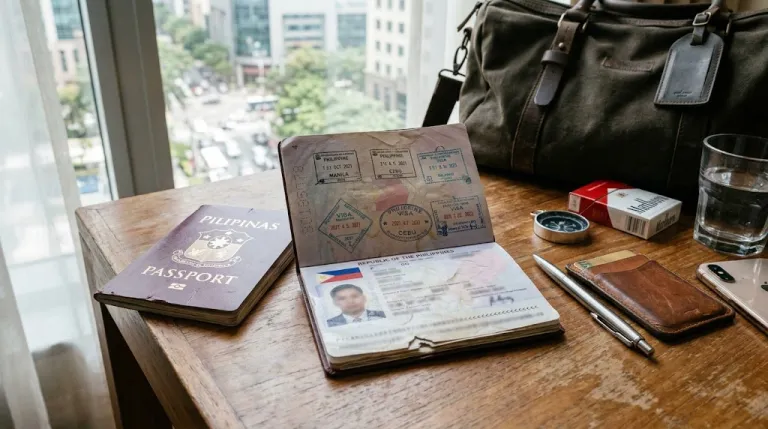
What Counts as a Damaged Passport?
Not every small crease or mark automatically means you need a new passport.
However, more serious physical damage can affect the passport's pages, cover, personal information, or security features.
Pay particular attention to damage involving:
The personal data page
Passport photo or personal information
Machine-readable information
Torn or missing pages
Visa pages or immigration stamps
Damaged or detached covers
Severe water or mould damage
If you're unsure whether the damage is serious enough to affect your travel, it's better to have it checked before your trip rather than discovering the problem at the airport.
What To Do If Your Passport Gets Wet
Accidentally dropped your passport in water or got caught in heavy rain?
Let it dry naturally in a clean, well-ventilated area. Avoid pulling apart pages that are stuck together while they are still wet.
Do not use an iron or direct high heat to dry the passport, as this can cause further damage.
Once it is completely dry, check the pages carefully. Look for:
Warped or badly curled pages
Staining
Ink bleeding
Damaged personal information
Pages that have become stuck together
Damage to the passport cover
If the water damage is significant, don't assume the passport is still acceptable simply because you can still read the information.
What To Do If Your Passport Gets Torn
A torn passport page should not be repaired with tape, glue, staples, or other materials.
This is especially important if the tear affects the personal data page, visa pages, immigration stamps, or passport security features.
If your passport is considered damaged or mutilated, DFA requires additional requirements when applying for a replacement, including a notarised Affidavit of Explanation and surrender of the damaged passport.
What To Do If Your Passport Gets Wrinkled or Bent
A passport with a few minor creases from being carried in your bag is different from one that has been severely folded or crushed.
Check for:
Deep creases across important pages
Severely folded pages
Pages that are separated or loose
A damaged or detached cover
Damage to the personal data page
Damage to machine-readable information
If the damage is significant, check with the DFA before travelling.
What To Do If Your Passport Gets Mouldy
Passports can develop mould when stored in damp or humid conditions for long periods.
If you notice mould, avoid aggressively scrubbing the passport or applying household cleaning products to it. These can cause additional damage to the pages and printing.
Handle the passport as little as possible and allow it to dry in a clean, well-ventilated place.
If mould has caused staining, weakened the paper, warped pages, or affected important information, check with the DFA before travelling.
What To Do If Your Passport Gets Stained
Coffee, ink, makeup, food, and other liquids can leave stains on passport pages.
A small cosmetic mark is different from a stain that affects the personal data page, photograph, machine-readable information, visa pages, or other important details.
Do not try to remove stains using bleach, alcohol, acetone, or other cleaning products. You could make the damage worse.
If the stain is extensive or affects important passport information, have the passport assessed before your trip.
What If Your Passport Cover Is Damaged?
The cover protects the passport and its contents, so significant damage should not be ignored.
Check whether the cover is:
Peeling away
Severely torn
Separating from the pages
Water-damaged
Missing part of the cover
No longer securely attached to the passport
If the damage affects the passport's physical integrity, you may need to apply for a replacement.
Can You Still Travel With a Damaged Passport?
It depends on the type and extent of the damage.
A minor crease is different from a passport with torn pages, severe water damage, or damage to the personal data page.
If important information or security features have been damaged, don't assume that the passport will be accepted for travel.
When in doubt, have your passport checked before your departure date.
Can You Repair a Damaged Passport Yourself?
It's best not to attempt DIY repairs.
Do not:
Glue torn pages
Use tape to repair pages
Staple loose pages
Laminate the passport
Scrub mould or stains aggressively
Use bleach, alcohol, acetone, or other chemicals
Iron the passport
Pull apart pages that are stuck together
Keep the passport as intact as possible, especially if you need to surrender it when applying for a replacement.
How To Replace a Damaged Philippine Passport
If your passport is considered mutilated or damaged, DFA requires a replacement application with additional requirements.
For applications in the Philippines, current DFA requirements include:
Personal appearance
Confirmed online appointment
Duly accomplished passport application form
Proof of payment
Copy of the latest passport issued
Notarised Affidavit of Explanation
Surrender of the damaged or mutilated passport
Additional documents may be requested depending on the applicant's circumstances.
Damaged or mutilated passport applications are treated as new passport applications under DFA's current requirements.
How Much Does It Cost To Replace a Damaged Passport?
Current DFA passport fees include:
Regular processing: ₱950
Expedited processing: ₱1,200
Penalty for a mutilated passport: ₱350
Fees and requirements may change, so check the official DFA passport website for the latest information before applying.
How Long Does Passport Replacement Take?
DFA currently lists different processing times depending on the processing option and location.
For applications in the Philippines, current listed processing times are:
Regular processing: 12 working days
Expedited processing in Metro Manila: 6 working days
Expedited processing outside Metro Manila: 7 working days
These processing times do not include courier delivery.
If you have an upcoming international trip, allow enough time for processing and delivery rather than waiting until shortly before your departure.
Where To Apply for a Damaged Passport
Passport appointments should be made through the official DFA passport appointment system.
Avoid unofficial individuals or services offering to secure appointments for you. DFA advises applicants to use its official channels for passport applications and appointments.
Before applying, check the latest requirements, fees, appointment availability, and processing times.
Don't Wait Until the Day of Your Flight
A damaged passport may not be something you can fix at the airport.
If your passport has been soaked, badly torn, severely bent, mouldy, heavily stained, or otherwise damaged, check its condition well before your trip.
If you're unsure whether it is still acceptable for travel, contact the DFA or have it assessed before your departure date.
Bottom line: Your passport doesn't have to look brand new to be valid, but serious physical damage can become a travel problem. If yours has been damaged, don't try to repair it yourself or wait until you're at the airport. Check the latest DFA requirements and arrange a replacement if necessary.
Published at
About Author
Jeliefer Sumaya
just tryna be an author
Subscribe our Newsletter
Get our weekly tips and travel news!
Recommended Articles
The Philippine Bucket List: 20 Challenges Every Filipino Traveller Must Complete 10 Countries Filipinos Probably Didn’t Know They Can Travel To Without Visa Filipinos rejoice! Your Philippine passport can take you to many countries you probably haven’t imagined travelling to without a visa.
PTAA Travel Tour Expo 2016 Latest Event Details Come 5-7 Feb 2016, PTAA Travel Tour Expo 2016 will once again showcase the hottest travel deals and promos from over 300 exhibitors around the Philippines.
The Great British Festival 2016: Experience the Best of Britain in Manila and Win Cool Prizes Join in the fun at the Great British Festival in Manila this 26-28 Feb 2016.
NAITAS Travel & Trade Show 2016 is Definitely BIG! Come 8-10 April 2016, the BIGGEST TRAVEL and TRADE SALE in the Philippines is here again!
Latest Articles
BTS’ Agency BIGHIT MUSIC Opens Global Audition: Can Filipinos Apply? Filipinos can audition
Philippines Holidays 2027: Complete List And Long Weekends 2027 holiday dates
US To Test New System That Could Help Reduce Flight Delays New flight delay system
National Cinema Day 2026: ₱100 Movie Tickets On 12 September Watch movies for ₱100
Hot Wheels Designer Brendon Vetuskey Meets Filipino Collectors at Kingsford Hotel Manila Hot Wheels collector gathering